
Free AI Email Writer With No Signup or Login: Write Emails Instantly
A free AI email writer with no signup or login lets you paste a rough idea, pick a tone, and get a finished email in seconds — no account, no credit card, no inbox full of «verify your email» messages first.
The appeal is speed and control: manual writing takes 10-20 minutes per message, and a no-login tool skips the friction entirely so you can draft and go. This guide covers what «no signup» really buys you, which claims to trust, and how to use one safely.
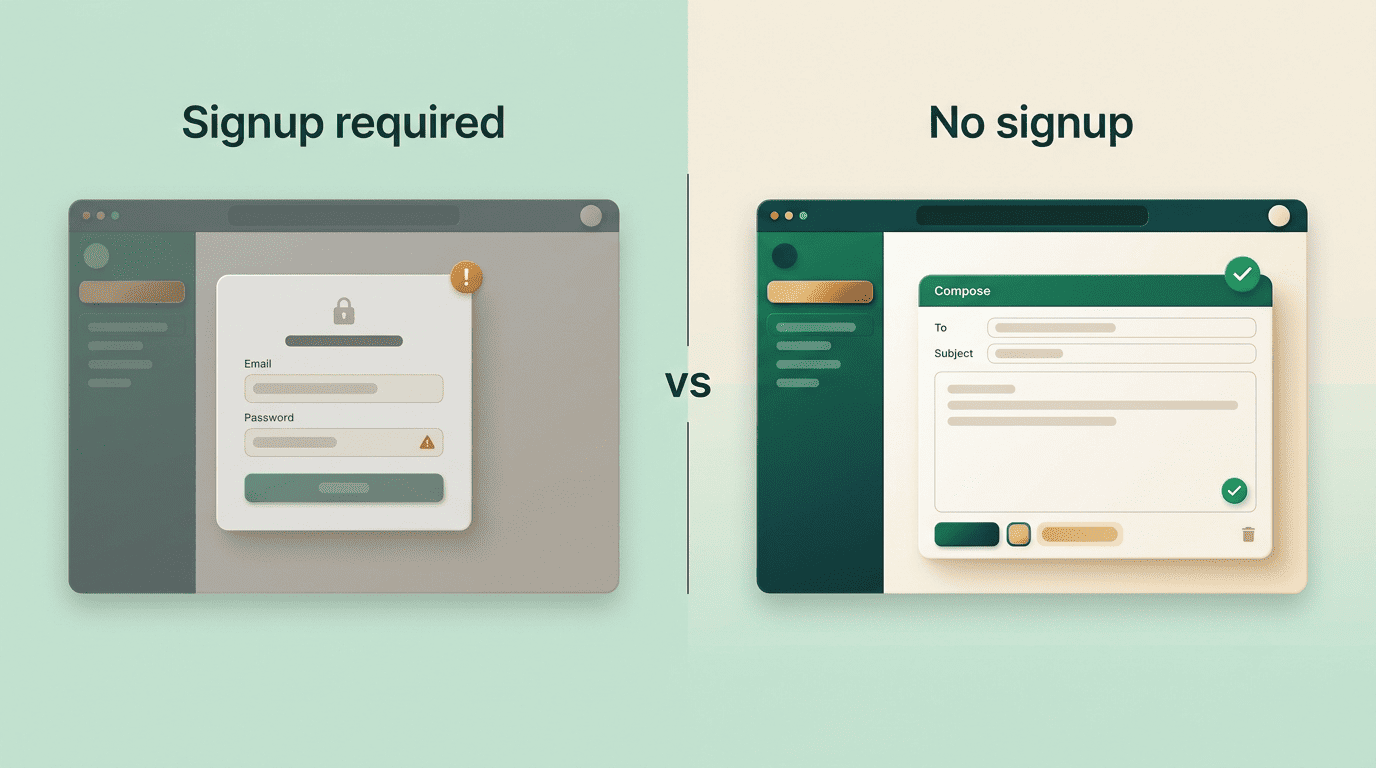
What «No Signup or Login» Actually Means
«No signup» sounds like a single promise, but in practice it bundles three separate things — how fast you start, how much of your data changes hands, and whether a credit card is anywhere in the process.
Instant access, less data shared
A no-signup AI email writer opens straight to the tool — no email address, password, or personal details required (one popular tool explicitly asks for none of that). That means three things: you start in seconds, you don’t hand over an email that gets marketed to, and there’s less of your data floating around in the first place.
Handing over fewer details is a small but real privacy win, and it lines up with the FTC’s advice to share the minimum personal information online. A tool that never asks your name in the first place can’t leak it later.
No credit card, no trial trap
The best free AI email generator options charge nothing and ask for no card at all — one no-login tool advertises itself as free with no sign-up, no credit card, and no usage quota. No card means no surprise charge when a «free trial» quietly ends and starts billing.
Watch for the opposite pattern too: a tool that’s free to try but needs a card on file «just in case.» If a form asks for payment details before you’ve typed a single word of your email, it isn’t really a no-login, no-cost tool — it’s a trial with extra steps.
Truly Free vs «Free» With Limits
«Free» and «no login» aren’t always the same as «unlimited.» Some AI email writer online tools are genuinely free with no paywall at all; others run on a freemium model, where the no-login version is a taste of a paid product.
Read the fine print on «free»
A handful of no-signup tools are free and unlimited with no catch — you can generate as many drafts as you want without ever seeing a paywall. Others cap the free, no-login tier at a small number of emails per day (a common pattern is three emails in a 24-hour window) and reserve unlimited generation for a multi-day trial that eventually asks for payment.
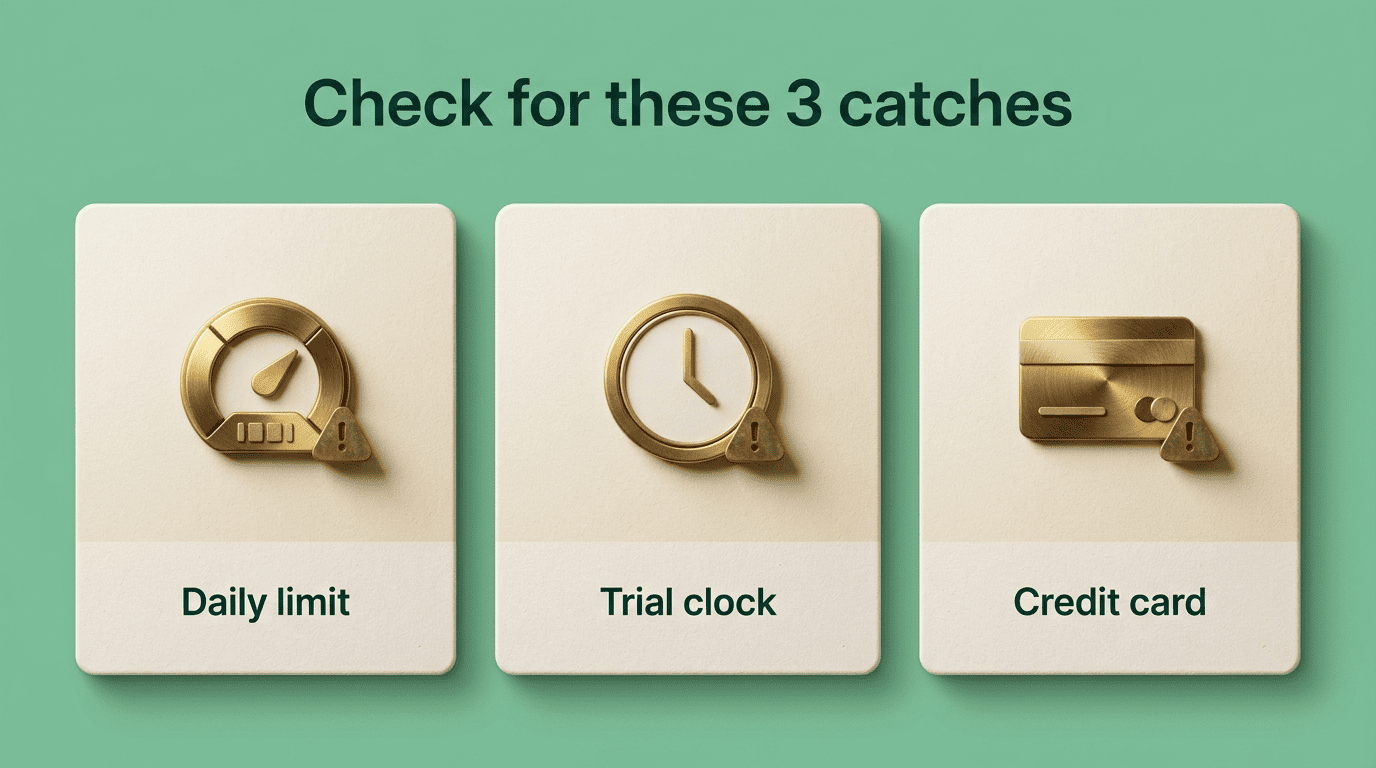
Neither approach is dishonest, but they’re not interchangeable. Before you rely on a no-login email writer for a busy day of correspondence, check for a daily cap, a hidden trial clock, or a credit-card request — the three usual catches:
- A daily or hourly generation limit that resets the counter, not your workload
- A trial period that unlocks «unlimited» for a set number of days, then stops
- A credit-card field anywhere in the signup or upgrade flow
What each label means
The wording tools use to describe themselves isn’t standardized, so it helps to know what each common label actually implies before you commit to one for a busy inbox day.
| Label | What to expect |
|---|---|
| No signup / no login | Use immediately, no account |
| No credit card | No trial that auto-charges |
| Unlimited | No daily cap or paywall |
| Freemium | Free but limited; more needs a plan |
Reading these labels correctly before you start a task saves you from hitting a wall mid-email.
How to Use a No-Login AI Email Writer
Every no-login email writer follows roughly the same short path from blank page to finished draft, whether it’s built on GPT, Gemini, or a Claude-class model under the hood.
- Describe your goal in one line — for example, «Ask my boss for a deadline extension»
- Pick a tone and, if the tool offers it, a length preset
- Generate the draft, then read it before you do anything else
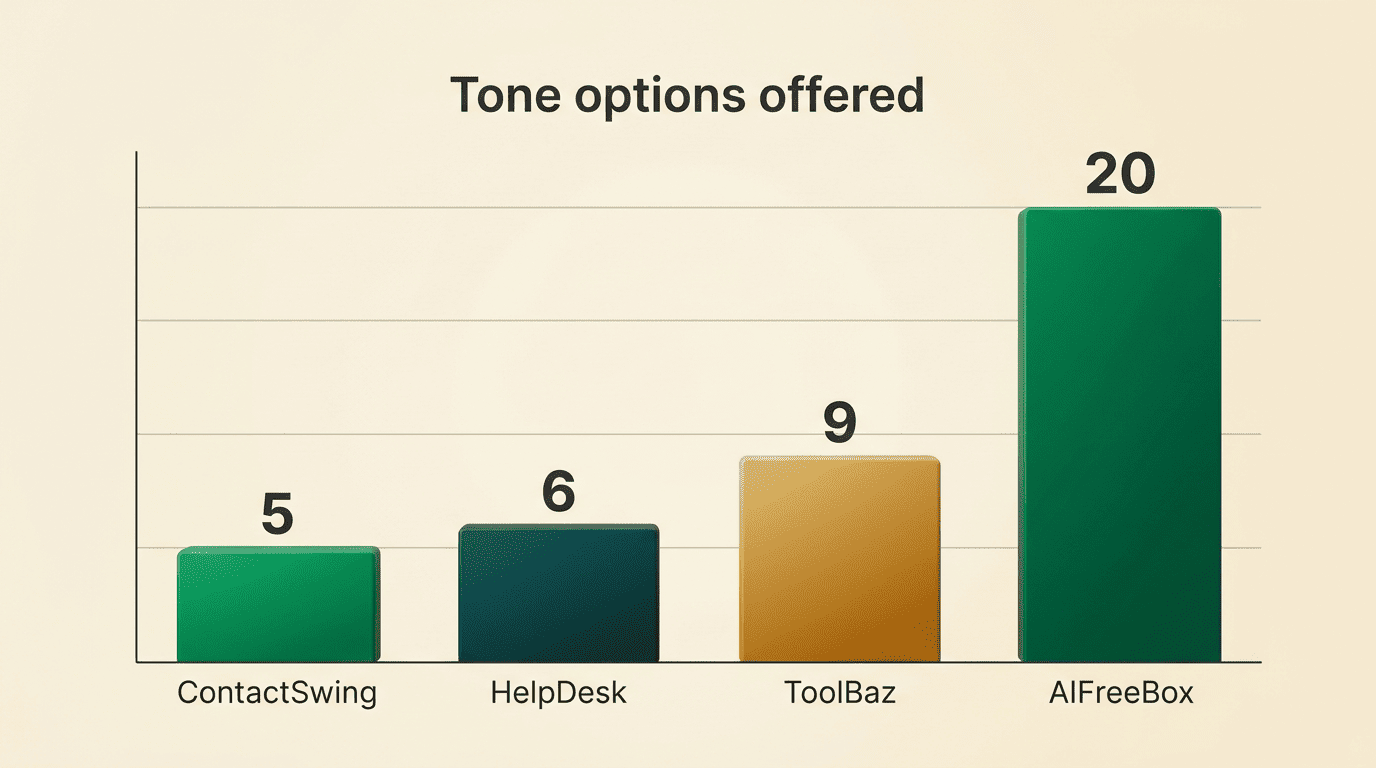
Tools expose anywhere from about five tone options to twenty or more, and length presets typically run short (two to three sentences), medium (one to two paragraphs), or long (three-plus paragraphs). A vague prompt produces a vague draft; a specific one produces something closer to what you’d actually send.
To get a better first draft, include a few extra details in your one-line prompt rather than relying on the tool to guess:
- The recipient and your relationship to them (boss, client, colleague)
- The one outcome you need from the email
- Any deadline or date that matters
- One detail only you would know, so the draft doesn’t read as generic
The more you specify up front, the less you edit afterward — some tools even return two versions of the same email, a concise one and a more detailed one, so you can pick whichever is closer to what you need.
Getting this right matters more than it looks. According to a Harvard Business Review analysis by productivity consultant Matt Plummer:
The average professional spends 28% of the work day reading and answering email, according to a McKinsey analysis.
Matt Plummer, Harvard Business Review
A tool that turns a one-line goal into a usable draft in seconds is competing directly with that 28% — which is why speed, not just cost, is the real selling point of a no-login AI email generator.
Are No-Signup AI Email Tools Safe and Private?
No-login doesn’t automatically mean private. The absence of an account tells you nothing was saved to a profile — it says nothing about what happens to the text itself once you hit generate.
Where your text goes
The better tools are explicit about this instead of staying silent. Some state plainly that they don’t store your generated emails; others say inputs are processed in real time and never saved or shared; a few go further and say prompts aren’t used to train any model and are only kept briefly for abuse prevention, not indefinitely.
Since most of these tools pass your text to a large language model behind the scenes, it’s worth skimming that provider’s own policy too — for instance, OpenAI’s privacy policy spells out how submitted content may be handled by a model provider, which is useful context even if the front-end tool you’re using isn’t OpenAI’s own product.
| What to check | Why it matters |
|---|---|
| «Not stored» or «not saved» statement | Your draft isn’t kept after you close the tab |
| «Not used for training» statement | Your wording doesn’t end up shaping the model |
| Named model provider (GPT / Gemini / Claude) | Lets you check that provider’s own privacy policy |
| Retention window (if any) | Tells you how long a copy might exist before deletion |
What never to paste
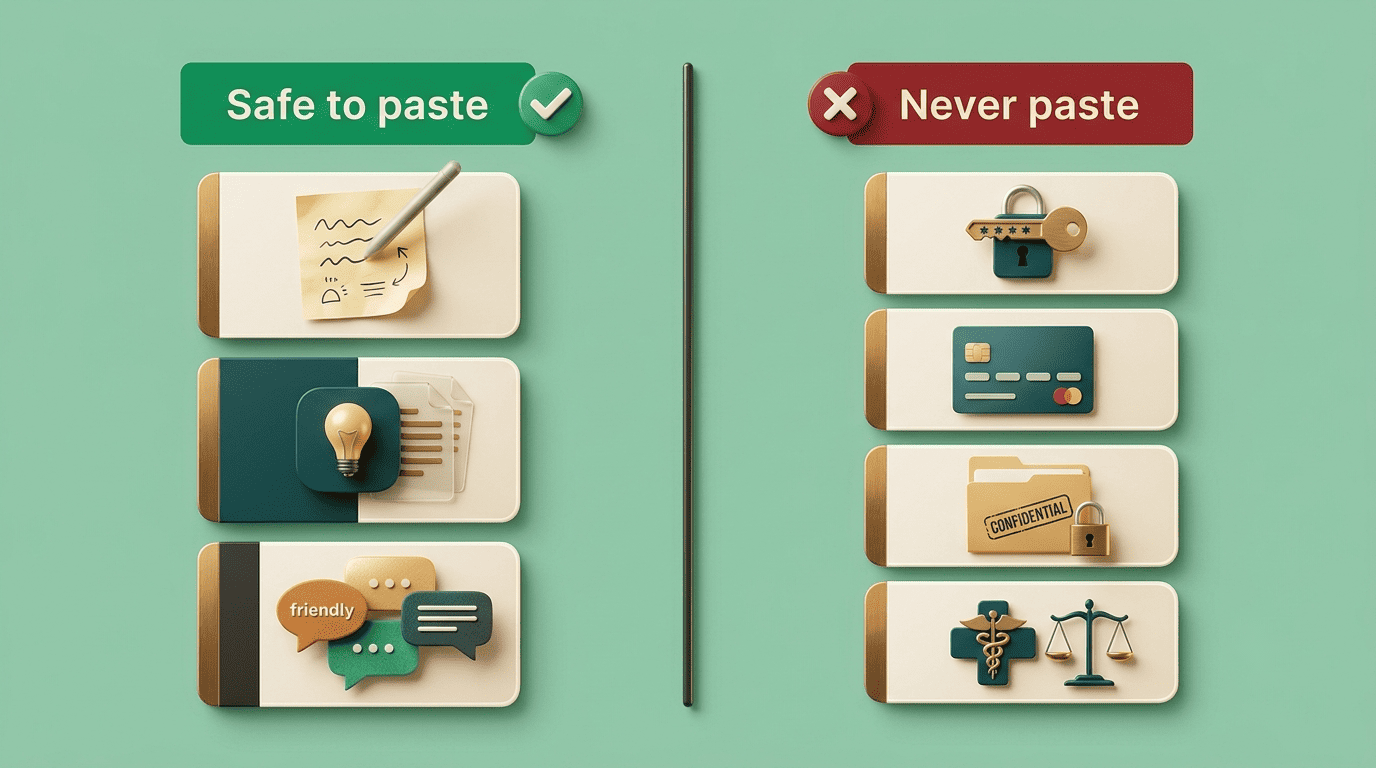
Whatever the stated policy, keep certain categories of text out of any free, no-login tool entirely:
- Passwords or login credentials of any kind
- Financial details, account numbers, or payment information
- Confidential client or business data
- Anything legal, medical, or HR-related that identifies a specific person
Use a no-signup writer for tone and structure — the shape of the email — not as a place to paste sensitive content you wouldn’t want to see outside your inbox.
Limitations and the One Habit That Matters
A free draft is a starting point, not a finished email, and treating it as anything more is where most complaints about these tools come from.

Expect generic output from a generic prompt. If your one-line description is thin, the draft will read as thin too — competent, on-topic, but interchangeable with any other email on the same subject. The fix is the specificity covered above, not a better tool.
Never trust a confident-sounding detail. A language model can generate a name, date, or figure that sounds plausible and is simply wrong, because it has no way to know your actual situation beyond what you typed. Treat every specific fact in the draft as unverified until you’ve checked it.
Review before sending, every time. Every tool worth using says some version of the same thing: proofread names, dates, and figures, add one personal touch the model couldn’t have guessed, and only then send. That one habit — read it before you send it — matters more than which free tool you picked.
Before you hit send on any AI-drafted email, run through a short checklist:
- Every name, date, and figure matches what you actually know to be true
- The tone fits the recipient, not just the prompt you typed
- One detail only you would know has been added
- Nothing sensitive (passwords, financial data, confidential or legal/medical/HR content) made it into the draft
FAQ
Related guides: how it compares to ChatGPT and professional work emails.