
How an AI Email Writer Nails the Right Tone
The hardest part of writing an email is rarely the words themselves — it’s the tone. A well-built AI email writer reads the emotional cues, formality level, and clarity of your draft, learns your voice from your own sent mail, and matches its output to the person on the other end. Nielsen Norman Group’s research on tone of voice confirms why this matters: tone measurably shifts how trustworthy and desirable a message feels to the reader, independent of the actual content.

This article breaks down exactly how that happens — from the signals a model reads first, to the way it studies your writing history, to the one-click controls that let you shift formal into friendly without starting over. Along the way, it covers the mistakes that make AI-drafted mail sound robotic, and how to keep your own voice intact.
What «the Right Tone» Actually Means in Email
Getting tone right is not about picking fancier words. It is about matching three things at once: the formality level the relationship calls for, the emotional texture the situation needs, and clarity that keeps the ask obvious. An email to a long-time client and an email to a prospective employer can carry the identical request and still need completely different delivery.
Doing this by hand is harder than it sounds, mostly because of volume. The average professional sends and receives well over a hundred emails a day, and every one of them theoretically deserves a tone check. Workplace research has repeatedly linked poor written communication to real financial loss — companies lose tens of thousands of dollars per employee, per year, in wasted time and rework caused by messages that landed wrong, and communication breakdowns are consistently cited as one of the top reasons projects stall.
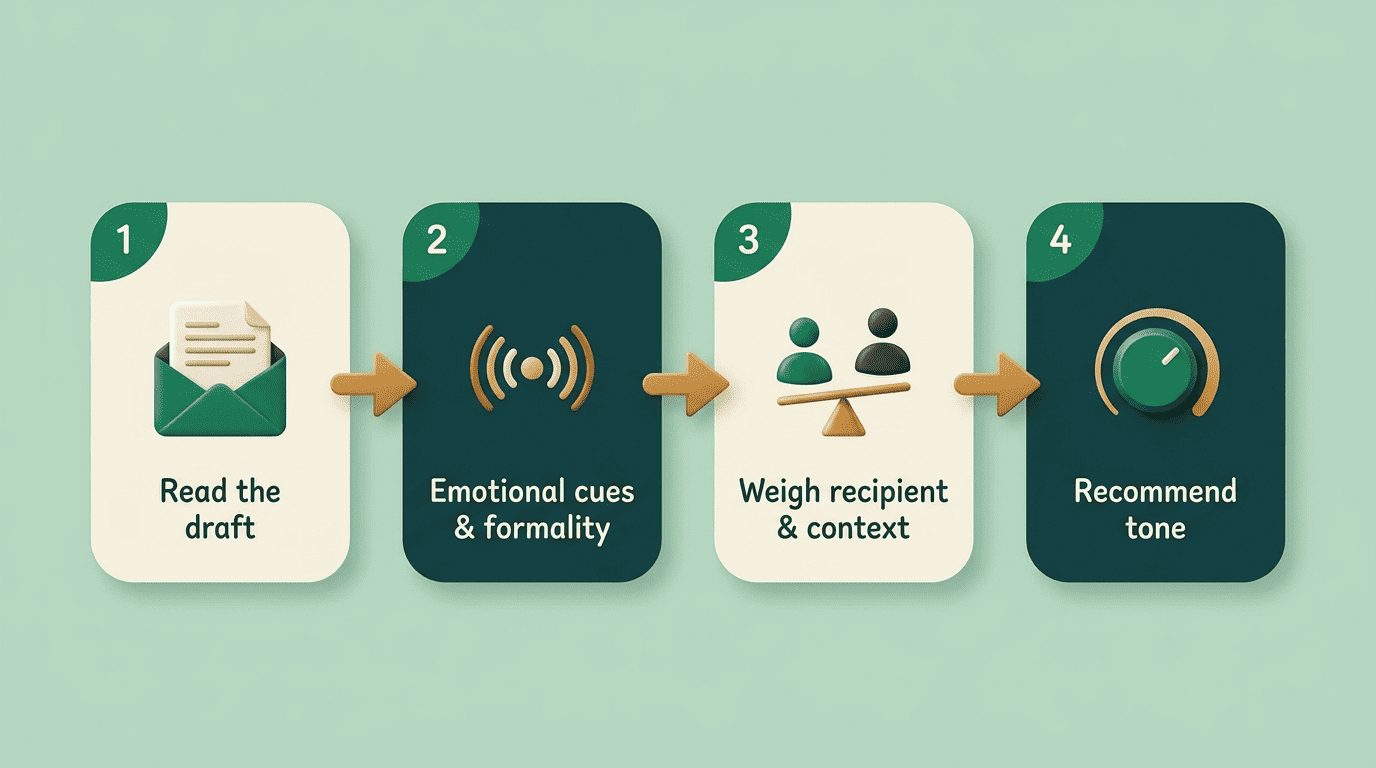
An AI email writer exists specifically to run that tone check automatically, on every message, without you having to think about it.
Signal by Signal: How an AI Email Writer Reads Tone
An AI email writer analyzes emotional cues, formality level, and clarity the moment you start typing or paste in a draft. It is not scanning for keywords — it is building a profile of how the message will land.
Emotional cues and formality
The model looks for markers of tone that humans pick up on instinctively:
- Short, clipped sentences, which tend to read as blunt or curt.
- Hedging language («I was just wondering if maybe…») reads as passive.
- More first names, contractions, and appreciative language, which reads as warm.
- Salutation style — «Hi» versus «Dear» — and sentence length, which set the formality baseline.
Formality is scored on a separate axis from emotional warmth, so a message can be both formal and friendly, or casual and cold — the assistant tracks the two independently rather than collapsing them into one score.
Recipient and context
Signals alone are not enough without context. The assistant typically weighs four extra inputs before it settles on a tone recommendation:
- Relationship distance — a first email versus the twentieth message in a thread.
- Intent — a request, an apology, a status update, and a bad-news message all call for different registers.
- Industry norms — what reads as normal in legal or finance reads as stiff in a creative agency.
- Power dynamics — writing up to a client differs from writing down to a direct report.
The same sentence read as friendly to a peer can read as presumptuous to a new prospect, so the assistant adjusts its tone recommendation to the specific pairing of sender and recipient, not just the words on the page.
How It Learns YOUR Voice (Not Generic AI Voice)
The mechanics of voice matching start with your sent folder. Rather than generating in a single generic «AI voice,» an AI email assistant worth using scans the mail you have already written and sent, and builds a profile from it — the greetings you default to, the sign-offs you use, your typical sentence cadence, how you structure a request, and where your tone naturally shifts between a colleague and a client.
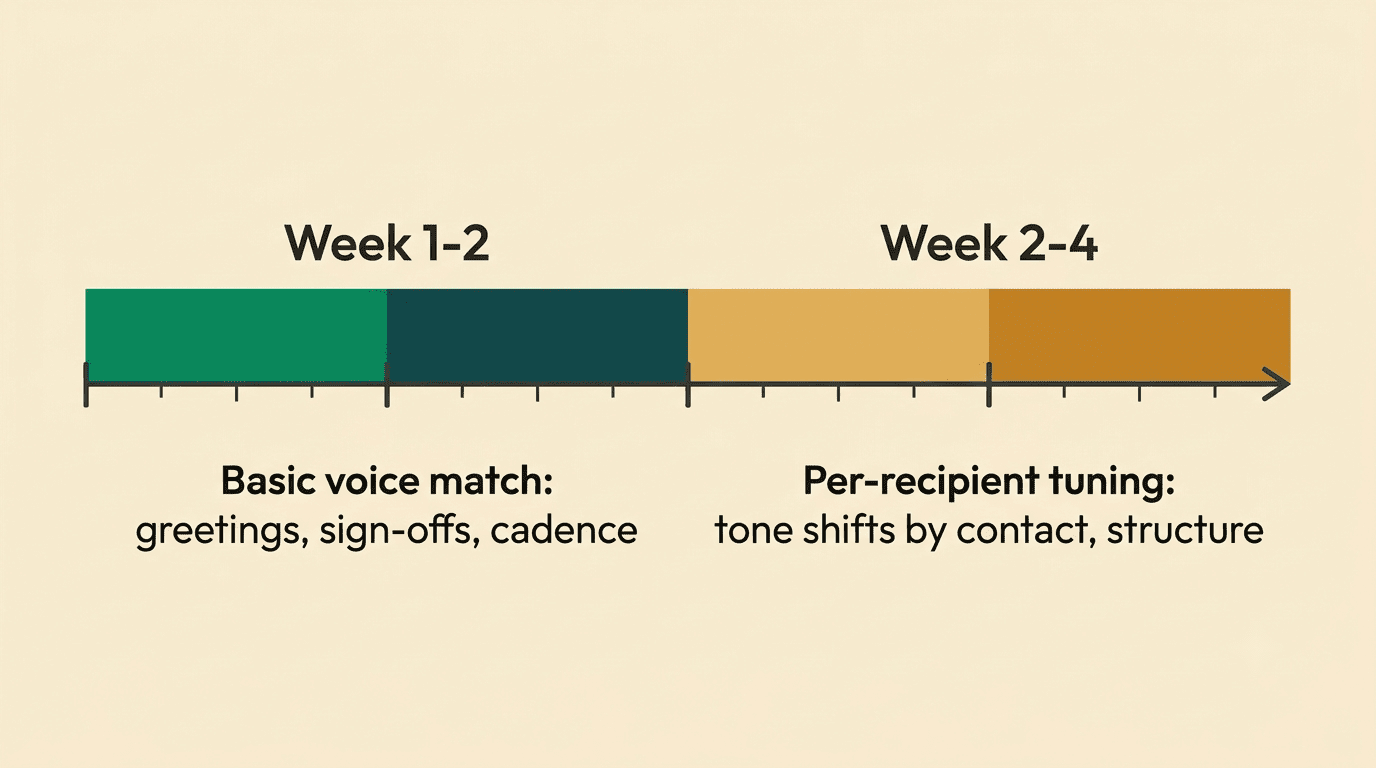
That profile deepens the more you use it. A basic version of your voice becomes usable within one to two weeks of normal email activity, but the finer per-recipient details — how you specifically write to your manager versus how you write to a vendor — typically take two to four weeks to sharpen. Some tools formalize this into an explicit «writing style» profile the user can review and edit, rather than leaving it as an invisible black box.
| Voice-matching stage | Timeframe | What it captures |
|---|---|---|
| Basic voice match | 1-2 weeks | Greetings, sign-offs, general cadence |
| Per-recipient tuning | 2-4 weeks | Tone shifts by contact, structure preferences, recurring phrasing |
Formal vs Casual: When the Assistant Picks Each
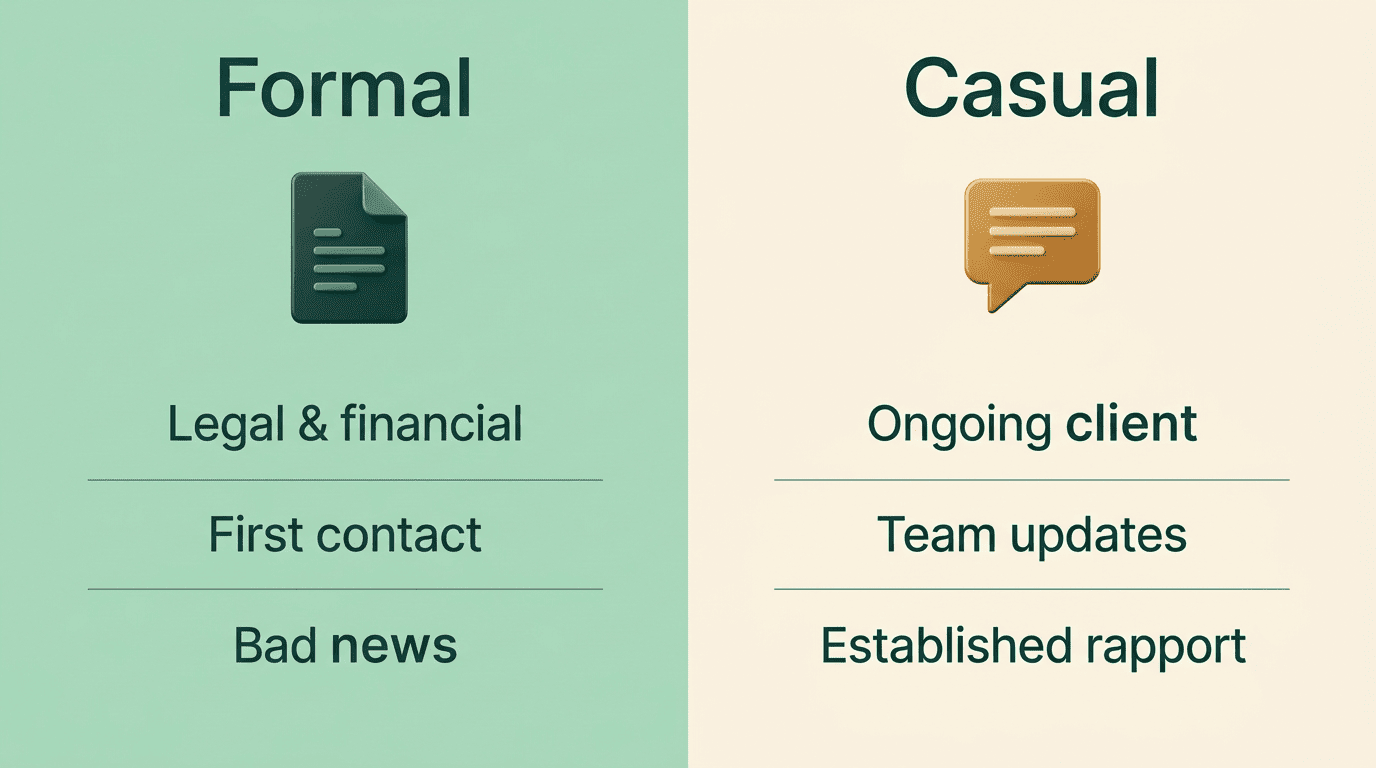
Formality is not a fixed setting — it is a decision made per email. The table below shows how an AI email writer typically reasons through the choice.
| Scenario | Tone chosen | Why |
|---|---|---|
| Legal or financial correspondence | Formal | Precision and liability reduce room for casual phrasing |
| First contact with a new prospect | Formal | No established relationship to soften tone yet |
| Delivering bad news | Formal, careful | Casual phrasing reads as dismissive when stakes are high |
| Ongoing client or team relationship | Casual | Familiarity makes formality feel distant |
| Internal quick updates | Casual | Speed and clarity matter more than polish |
Industry surveys of client-facing professionals have repeatedly found a clear majority now prefer a casual, conversational tone in day-to-day client email once a relationship is established, with senders who matched that preference reporting noticeably higher reply rates than stiffer, more formal alternatives.
The same surveys flag the flip side: a large share of respondents said an overly casual tone in a rejection or bad-news email felt disrespectful. These are self-reported industry polls rather than peer-reviewed studies, so treat the exact percentages as directional, not precise — but the direction is consistent: the assistant’s job is to hold both truths at once, defaulting to warmth where it is earned and pulling back toward formal the moment the content or the relationship calls for it.
One-Click Tone Control: The 5 Everyday Rewrites
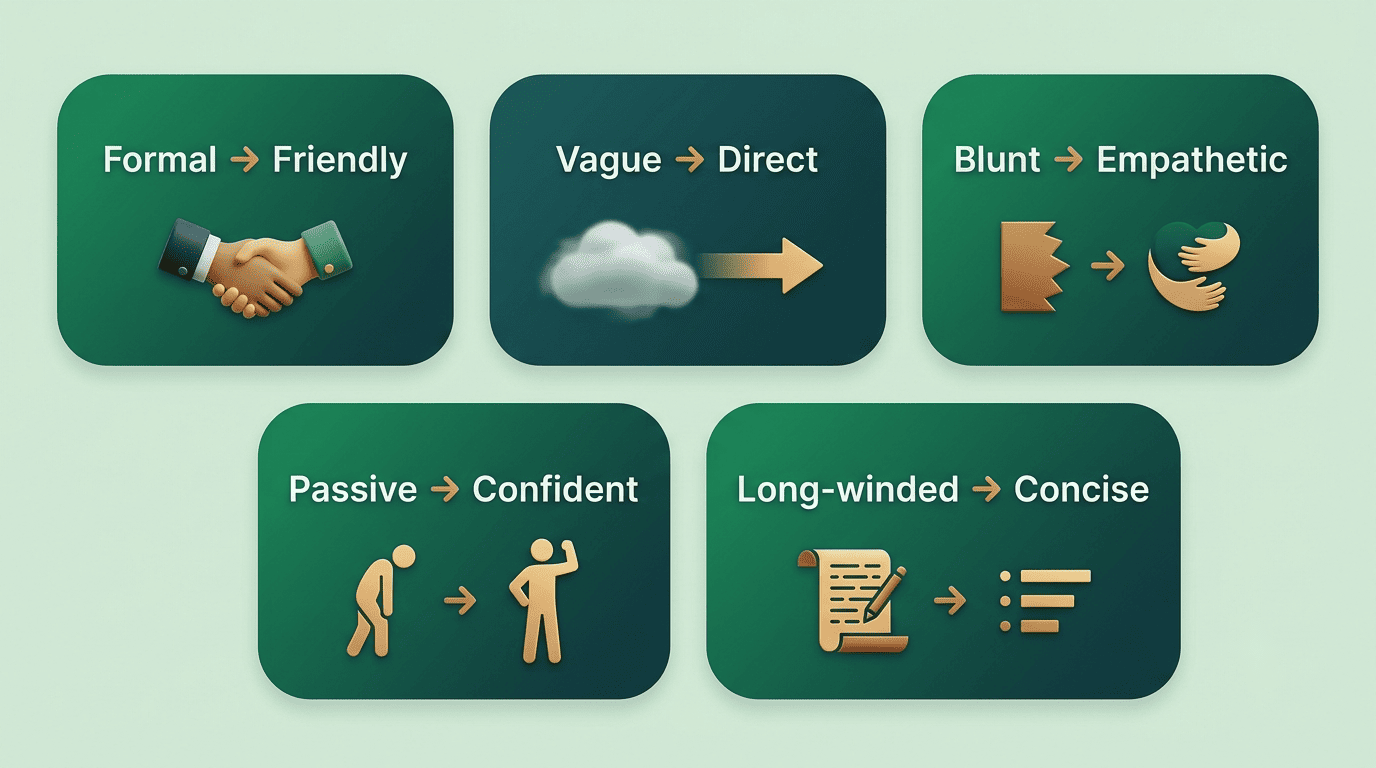
Reading signals is only half the job — the other half is acting on them instantly. Most AI email writers expose this as a one-click rewrite rather than a settings menu, so you draft naturally and then nudge the tone after the fact. Five transformations cover the vast majority of everyday edits:
- Formal to friendly — loosens rigid, over-polite phrasing into something warmer without losing the ask.
- Vague to direct — strips hedging language and states the request plainly.
- Blunt to empathetic — adds acknowledgment before the ask, softening a message that reads as curt.
- Passive to confident — replaces «I was hoping maybe» with a clear, ownable statement.
- Long-winded to concise — trims a five-paragraph email down to the two paragraphs that actually matter.
In practice, this looks like selecting a paragraph and choosing a labeled option — formal, friendly, direct, or thoughtful — and getting an instant rewrite that keeps the underlying message but changes how it lands.
This mirrors how Gmail’s built-in writing assistance works: Google’s help documentation on composing suggestions in Gmail describes the same core idea — the tool proposes phrasing, the sender decides whether to accept it. Google’s broader push to put Gemini into everyday writing tools follows the same logic: suggest, don’t auto-send.
Keeping It Sounding Like You (Not a Robot)
The tone controls above are only useful if the output still sounds like you wrote it. The fastest way to lose that is sending an email writing AI‘s draft verbatim — readers notice generic phrasing quickly, even when they can’t quite name why. Treat every AI draft as a starting point: edit at least one line, set your own tone parameters in the assistant if it offers them, and be specific in any prompt you give it rather than accepting the first pass. A short, human detail — a specific date, a shared reference, a genuine thank-you — does more to signal authenticity than any wording tweak.
Nielsen Norman Group’s Kate Moran, summarizing the firm’s tone-of-voice research, put the underlying stakes plainly:
We found that there are indeed measurable effects of tone of voice on users, specifically on users’ impressions of an organization’s friendliness, trustworthiness, and desirability.
Kate Moran, Nielsen Norman Group
That is exactly why voice-matching tools now double as light coaching: some flag a tone score or a warning before you hit send, catching the message before a mismatch reaches the recipient’s inbox.
Tone mistakes the assistant helps you avoid
A handful of small habits do outsized damage to how a message is received, and a good tone check catches them before send:
- Opening with «per my last email» — reads as passive-aggressive almost universally.
- Stacking exclamation points — more than one or two starts to read as forced enthusiasm.
- Overusing «just» («just wondering,» «just checking in») — undercuts the legitimacy of the request.
- Dropping emojis into contracts or legal threads — a formality mismatch that undermines the document’s weight.
- Being over-formal on a first internal message — creates unnecessary distance with a new teammate.
- Letting an email run past three or four paragraphs — length itself starts to read as a tone problem, regardless of wording.
FAQ
Related guides: professional work emails and subject lines that get opened.