
AI Email Writer for Subject Lines That Get Opened
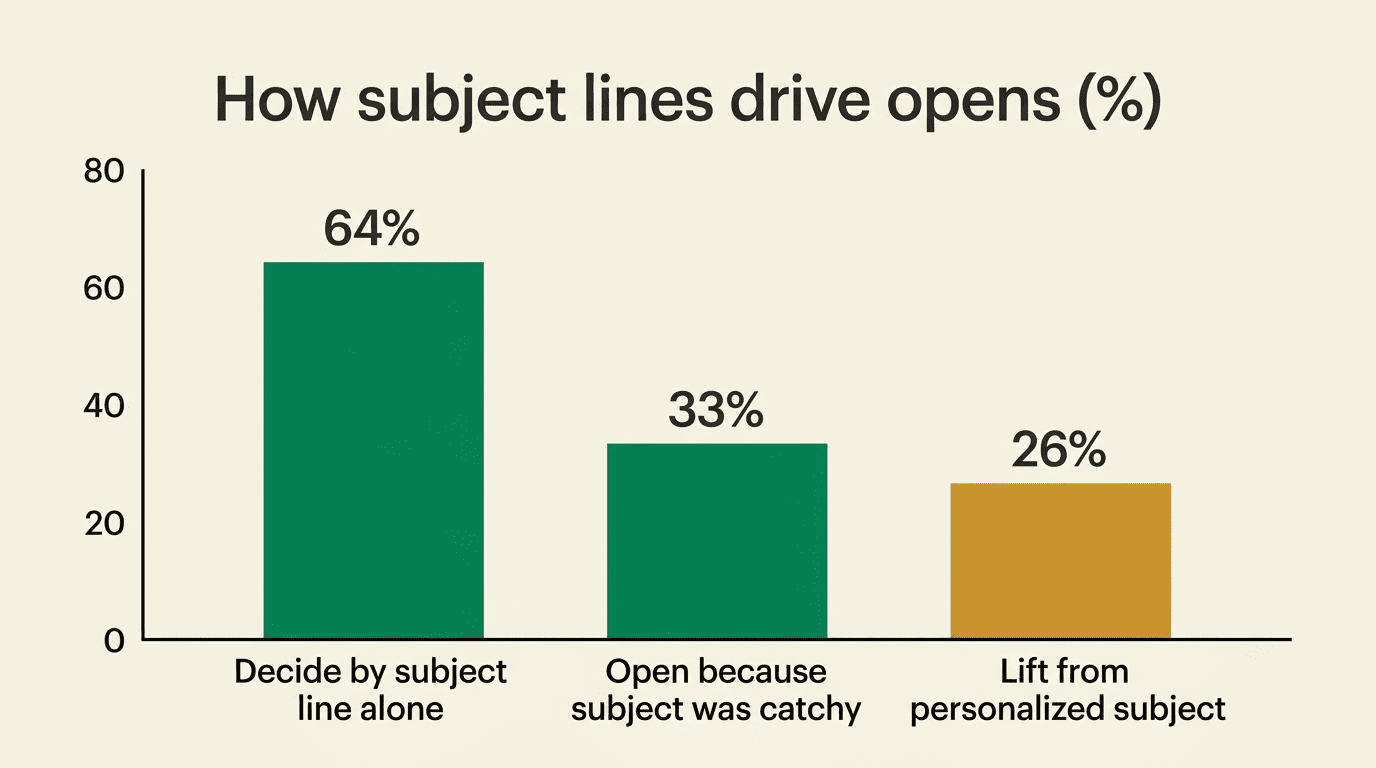
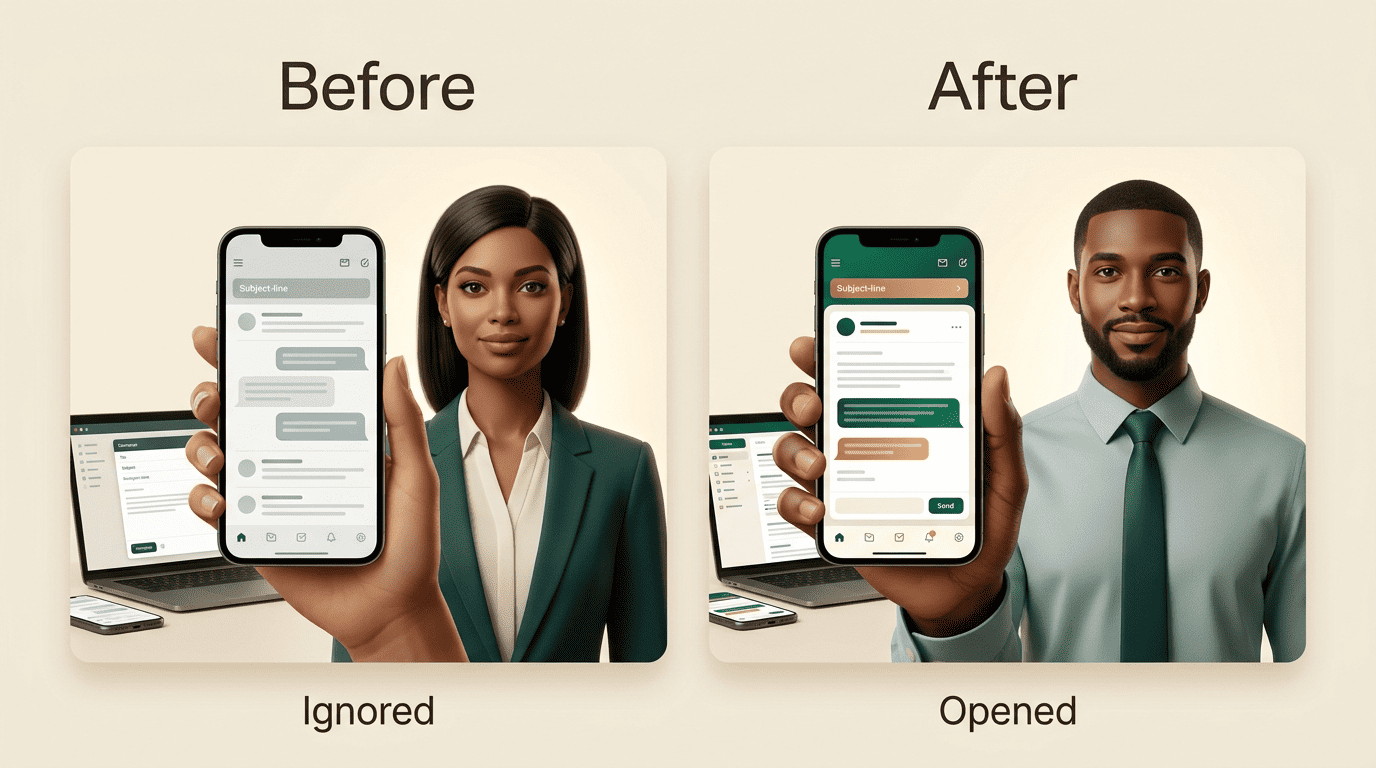
The subject line is the single line that decides whether your email is opened or ignored. An AI email writer studies your message and your audience, then drafts subject lines engineered to earn that open. According to a widely cited Chadwick Martin Bailey survey for Convince & Convert, 64% of recipients decide whether to open an email based on the subject line alone.
With more than 424 billion emails sent and received every day worldwide, per Statista’s 2026 estimate, a weak subject line means the message never gets read, no matter how good the body copy is. That single line has become the highest-leverage sentence a sender writes.
Why the Subject Line Decides Whether Your Email Gets Opened
The subject line is your first and often only impression
Most recipients never see anything past the subject line before deciding its fate — the sender name and those few words are the entire pitch. Every message competes against a full inbox of other senders making the same pitch at the same time, so a subject line that reads like everyone else’s is functionally invisible, regardless of how strong the offer behind it is.
Open rate is the metric the subject line controls
Body copy can’t convert a reader who never opens the message in the first place. The email subject line is the one variable with the most direct effect on open rate, which is why an AI email writer concentrates its effort there before touching the rest of the draft.
How an AI Email Writer Generates Subject Lines That Get Opened
You give context, it drafts variations
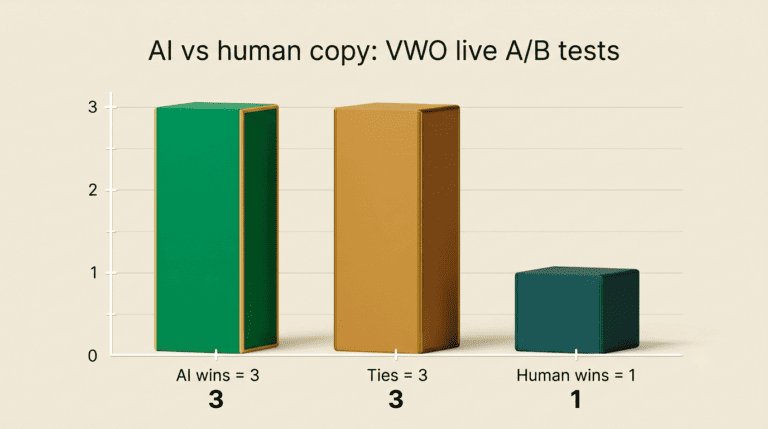
You describe the email’s purpose, audience, and desired tone, and the AI email writing tool returns several subject-line options within seconds. Industry benchmarks consistently show AI-drafted, formula-based subject lines outperforming untested, off-the-cuff lines on open rate, simply because every option has already been checked against length limits, tone, and spam-trigger words before it reaches the send button.
Tone and intent matter
A capable AI email assistant adapts tone — professional, friendly, urgent, promotional — to match both the message and the reader, instead of producing one generic line for every situation. That flexibility is what separates a subject-line generator from an actual writing tool.
Advertising pioneer David Ogilvy made the same point about headlines decades before inboxes existed, and it applies just as directly to subject lines today:
On the average, five times as many people read the headline as read the body copy.
David Ogilvy, Confessions of an Advertising Man
The subject line is an email’s headline, and getting tone and framing right there is exactly what an AI email writer automates at scale.
The Ideal Subject Line Length and Format
Shorter lines survive the mobile inbox
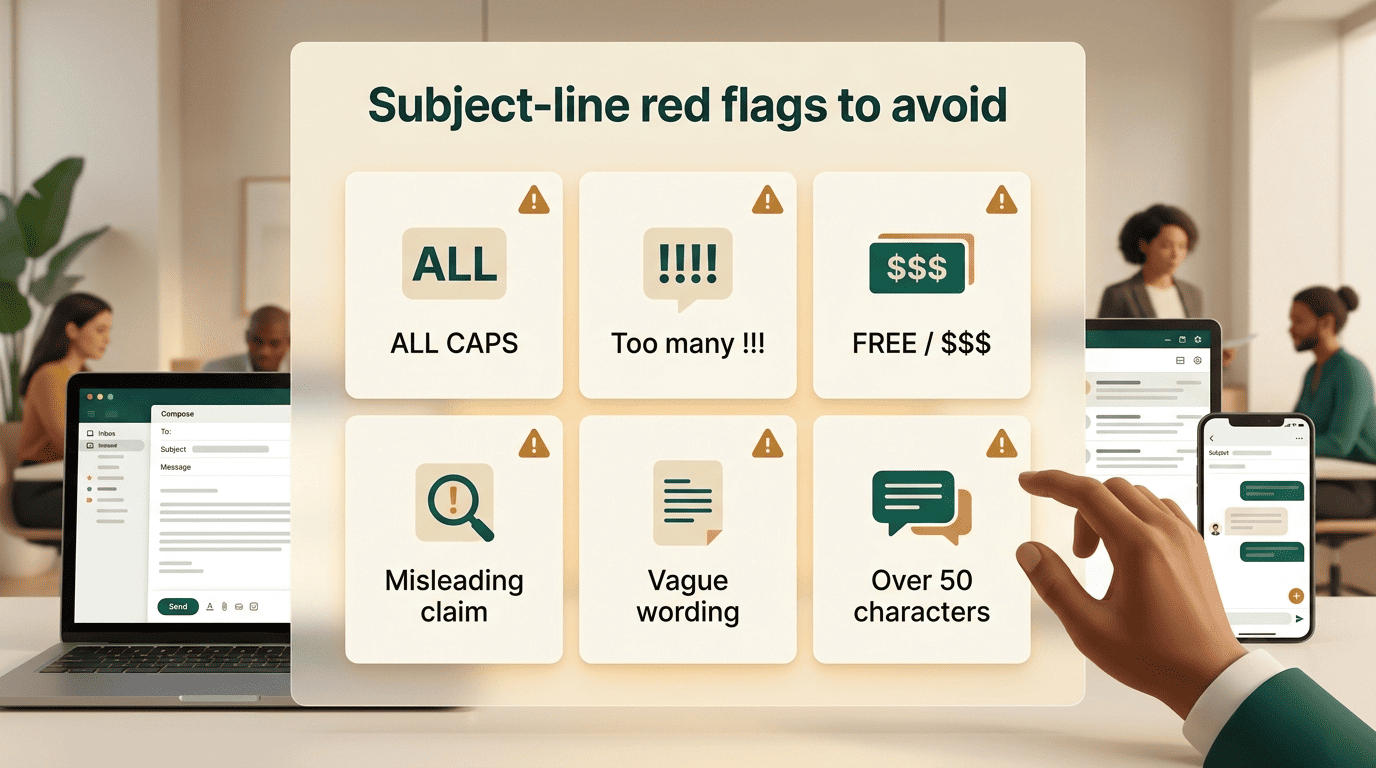
Most inboxes truncate long subject lines, and on mobile screens often only 30-40 characters are visible before the cutoff. Subject lines of 20 characters or fewer average a 29.9% open rate (Omeda), noticeably higher than longer alternatives, while roughly 50 characters is treated as a safe ceiling for mobile display. Six to ten words is a common sweet spot across most email marketing benchmarks.
Front-load the value
Put the keyword or benefit in the first 30 characters so it survives truncation on a phone screen. An AI email writer enforces formatting limits like these automatically instead of leaving them to guesswork:
- Front-load the key word or benefit in the first 30 characters
- Keep the whole line under roughly 50 characters for mobile
- Use no more than three punctuation marks
- Avoid ALL CAPS, which reads as shouting and can trigger spam filters
- Skip filler words that add length without adding meaning
| Length | Approx. open rate | Where it shows fully |
|---|---|---|
| ≤ 20 characters | 29.9% | Desktop and mobile |
| 21-50 characters | Moderate, varies by list | Desktop; mostly mobile |
| 50+ characters | Lower, list-dependent | Desktop only; truncated on mobile |
According to the Nielsen Norman Group’s research on how people read on the web, most users scan rather than read line by line, which is exactly why the first few words of a subject line carry disproportionate weight.
Personalization and Segmentation
Personalized subject lines are opened 26% more often than generic ones, according to benchmark data from Campaign Monitor. An AI email writer can weave in the recipient’s first name, company, or a segment-specific detail while keeping the phrasing natural rather than obviously templated — the difference between «Hi [First Name]» and a line that reads like it was written for one person.
Proven Subject Line Formulas That Get Opened
Curiosity. Lines like «The mistake most people make with X» work because they create a small information gap the reader wants closed, without giving away the payoff.
Benefit-first. A formula such as «Get [result] in [time]» states the value immediately, which performs well for readers scanning quickly.
Urgency. «Ends tonight: [offer]» borrows scarcity to push a decision now instead of later, and is best reserved for genuinely time-limited offers.
Number-based. «[N] ways to [result]» sets a concrete expectation for scope, which tends to read as more credible than a vague promise.
Personal. «Quick question, [Name]» mimics a one-to-one message rather than a broadcast, which is why it performs particularly well in cold outreach.
Simple and direct. «Your [thing] is ready» skips cleverness entirely and simply states the fact, which works well for transactional and account-related emails.
| Formula | Best for | Example |
|---|---|---|
| Curiosity | Newsletters, content | «The mistake most people make with onboarding» |
| Benefit-first | Product, promo | «Get more replies in half the time» |
| Urgency | Time-limited offers | «Ends tonight: 20% off» |
| Number | List-style content | «7 ways to boost your open rate» |
| Personal | Cold outreach | «Quick question, Sam» |
| Simple & direct | Transactional | «Your report is ready» |
Staying Out of Spam: Trigger Words and Deliverability
A misleading or overhyped subject line does more than hurt open rate — the FTC’s CAN-SPAM Act compliance guide explicitly prohibits subject lines that misrepresent what the email actually contains. Beyond legal risk, certain words and formatting patterns simply raise spam scores with mail providers before the recipient ever opens the message:
- ALL CAPS text
- Excessive punctuation, like multiple exclamation marks
- Words such as «FREE,» «guaranteed,» or «act now»
- Dollar signs and strings like «$$$»
- Misleading claims that don’t match the email body
An AI email writing tool flags this kind of language during drafting, catching the pattern before it reaches a send button.
A/B Testing Subject Lines
Testing removes the guesswork from formula selection, but only if it’s run consistently. Here’s a straightforward way to do it:
- Write two genuinely different subject-line variants for the same email — not two versions of the same phrasing.
- Split 10-20% of your list randomly between the two variants.
- Send both at the same time to avoid time-of-day bias.
- Let the test run long enough to reach a meaningful sample size, typically a few hours for a large list.
- Compare open rates between the two groups.
- Send the winning subject line to the remaining 80-90% of the list.
- Log the winning formula so future sends can reuse what worked.
An AI email writer instantly produces multiple variants worth testing, which removes the step most senders skip simply because writing three good alternatives by hand is slow.
Subject Lines by Email Type
Each email type earns opens through a different mechanism, so the right subject-line style changes with the message:
- Cold outreach — short, personal, reply-focused lines that read like they were written to one person, since the goal is a reply rather than a click
- Newsletters — lean on curiosity, since the relationship with the reader is already established and the goal is simply to earn attention among other subscriptions
- Promotional emails — combine benefit and urgency, since the reader needs both a reason and a deadline
- Follow-ups — reference the prior thread directly, which signals continuity rather than a fresh, unrelated pitch
An AI email writing tool tailors the subject line to each of these categories instead of applying one style everywhere, which matters because a cold outreach subject line that works will usually underperform if reused on a newsletter, and vice versa.
FAQ
Related guides: sales emails and staying out of the spam folder.